Start with the conversation
Record through your Mac’s microphone or import an audio file you are authorized to process. Obtain participant consent before recording.
Turn authorized session recordings into a draft on your Mac. Review the details, then approve the note in your own words.
15+ · Apple silicon
Transcription and note drafting run locally after model setup. Every draft requires clinician review.
Requires Apple silicon, 16 GB RAM and 12 GB free storage. Initial model download is about 3.94 GB.
iOS/iPadOS 17+ · Recorder companion
Record audio and transfer it to your Mac. The recorder does not transcribe or create notes.
Requires Casebound on a compatible Mac for processing. The Apple universal purchase includes Mac and iPhone/iPad.
13+ · Recorder companion
Record audio and transfer it to your Mac. The recorder does not transcribe or create notes.
Requires Casebound on a compatible Mac for processing. The free Android recorder does not include the Apple purchase.
Record through your Mac’s microphone or import an audio file you are authorized to process. Obtain participant consent before recording.
Transcribe audio, label speakers and generate a note draft locally after the initial model setup. Clinical content is not sent to an AI service.
Start with SOAP, DAP or BIRP. Review the draft against its source, correct the details and approve it before exporting.
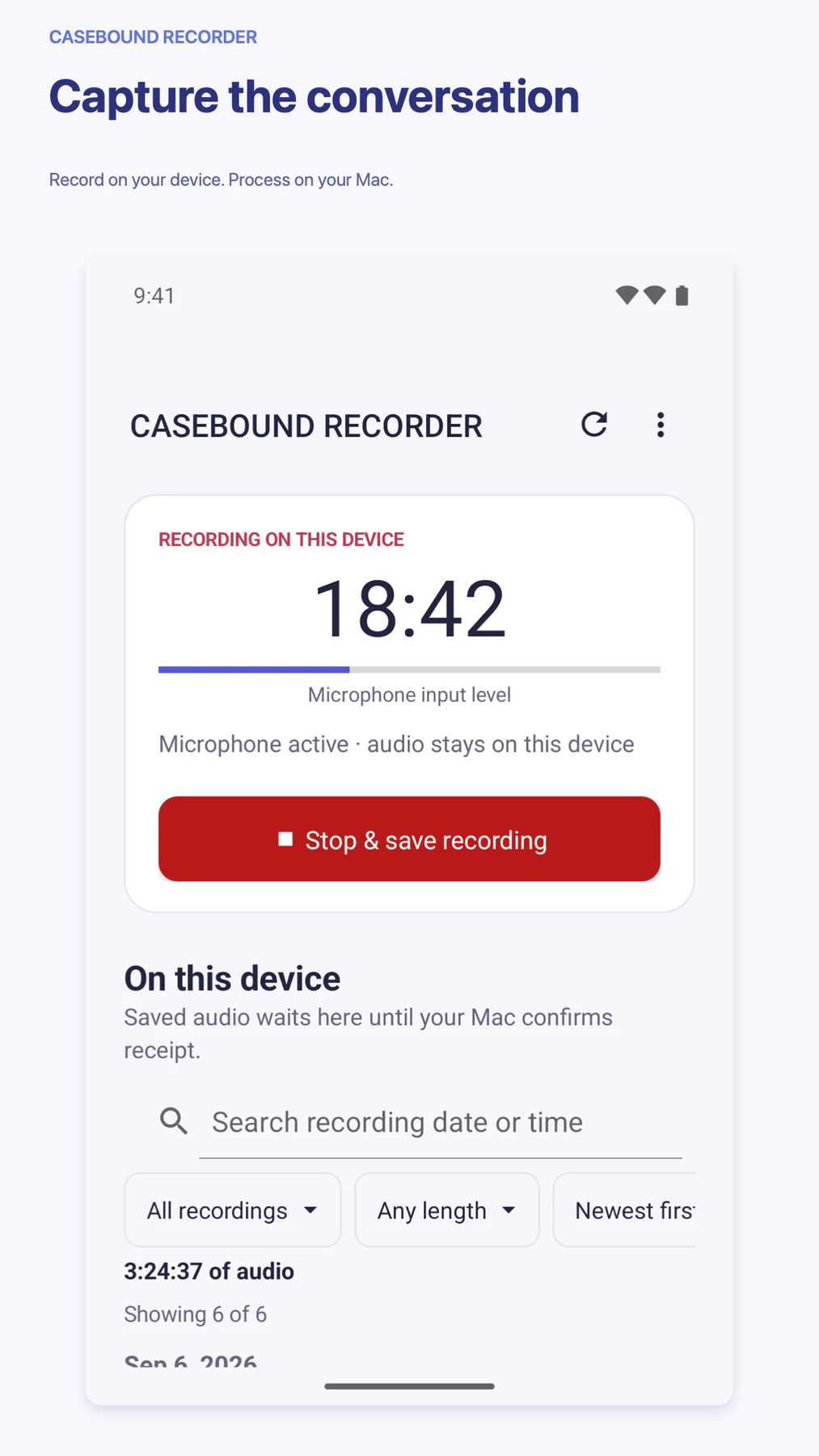
Use Casebound Recorder on iPhone, iPad or Android. Compare pairing codes and transfer a recording directly to your Mac over the local network.
Encrypted clinical storage, an idle lock and configurable retention give you control over the records on your Mac.
Export a reviewed note as PDF or DOCX. Choose a suitable destination for the clinical information you manage.
Preview images can differ from the version in your store.
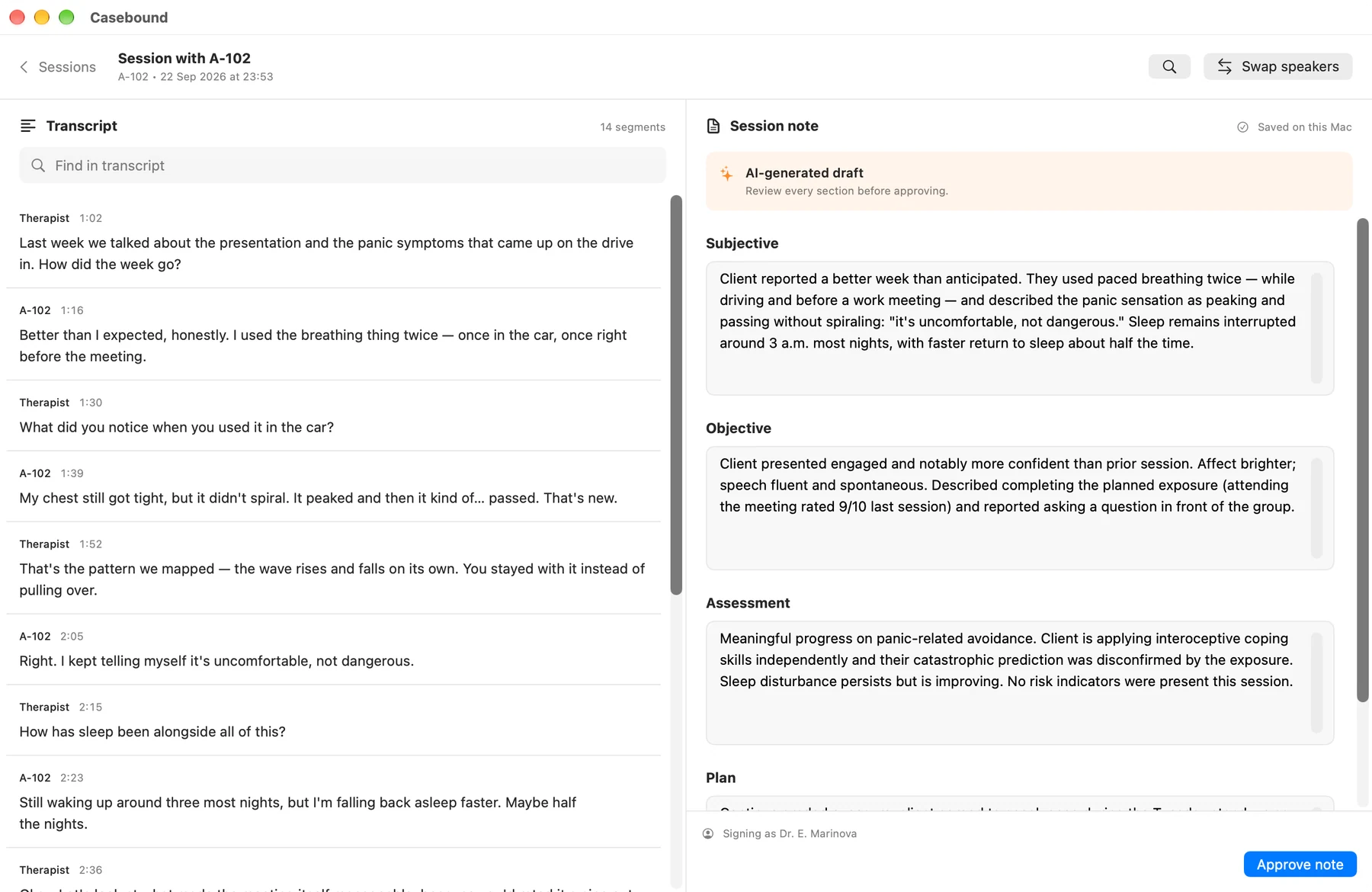
Casebound transcript and clinical-note draft using fictional demonstration data; every draft requires clinician review
Mac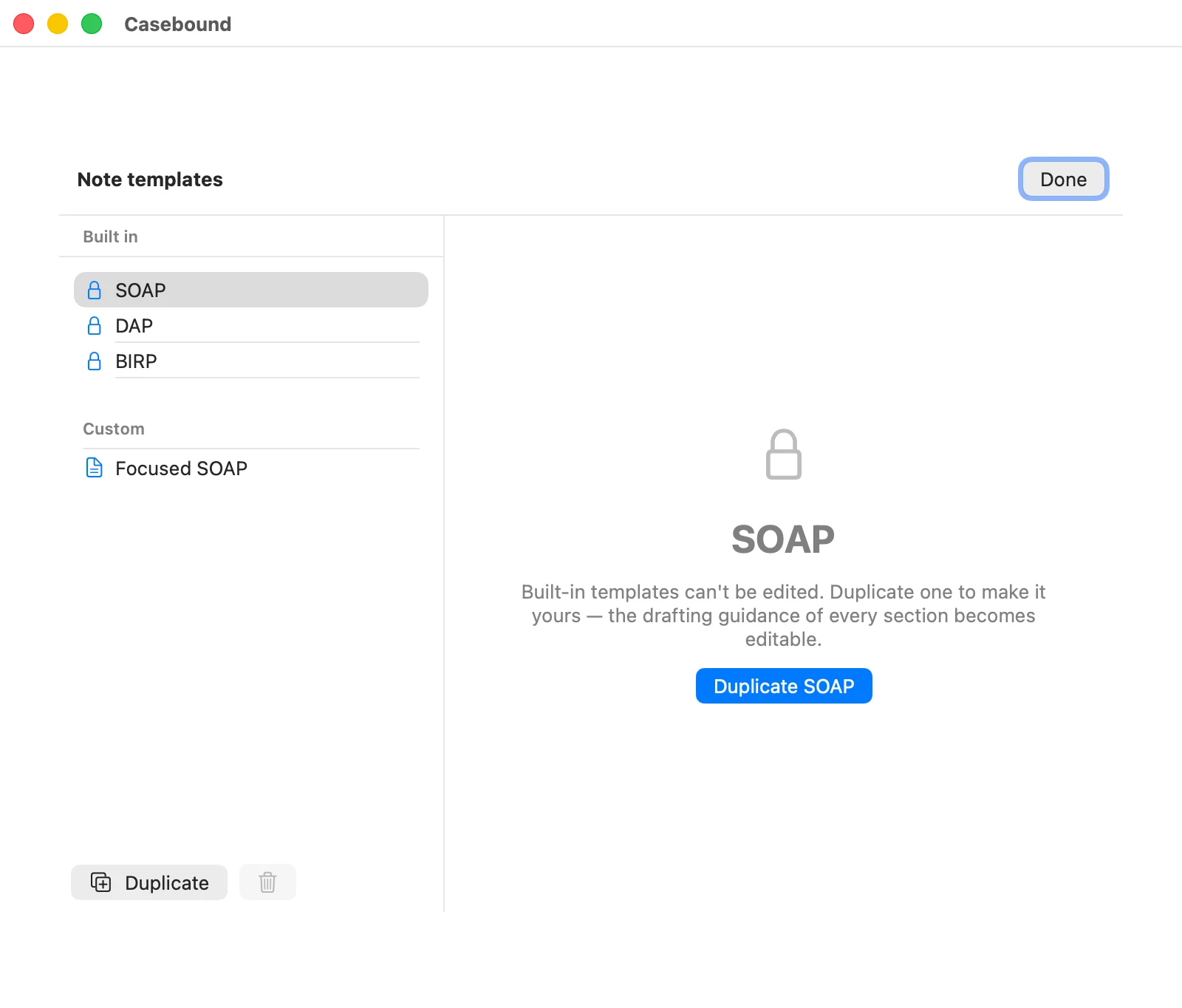
Casebound note templates with SOAP, DAP, BIRP and a sample custom template
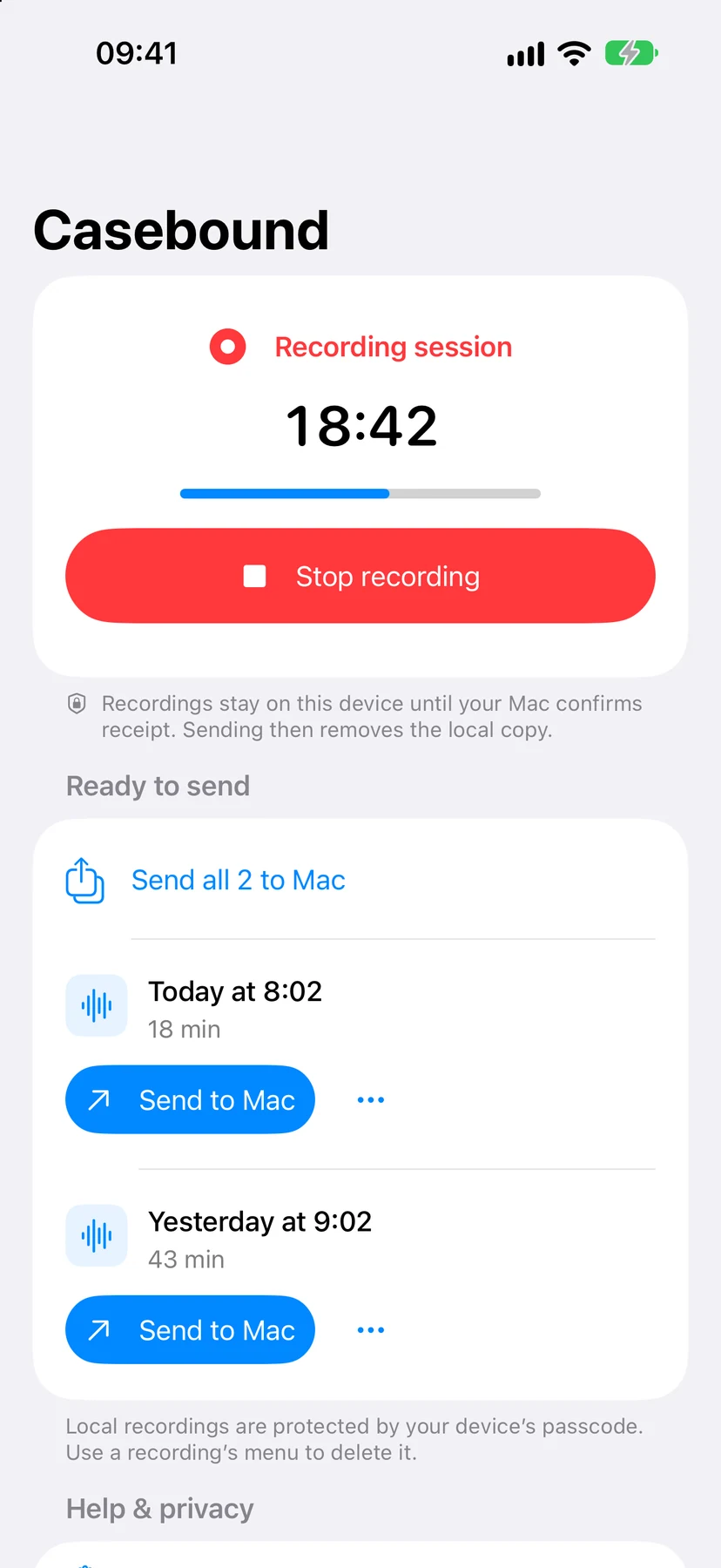
MacCasebound Recorder on iPhone recording a session, with fictional demonstration recordings ready to send to Mac
iPhone / iPadHave another question?
Get in touch.
You need an Apple silicon Mac running macOS 15 or later, at least 16 GB of RAM and 12 GB of free storage. Initial setup downloads approximately 3.94 GB of model data.
After the models are installed, core transcription and note drafting run on your Mac without hosted inference. Mobile recording also works offline. Transferring a recording requires both devices on the same local network.
The iPhone, iPad and Android companions capture audio, but they do not transcribe or create notes. One paid Apple universal purchase includes the Mac app and its iPhone/iPad recorder. The Android recorder is free and does not include the Apple purchase. A compatible Mac is required for processing. The recorder supports iOS/iPadOS 17 or Android 13 and later.
Enable receiving on your unlocked Mac, select it in the recorder and compare the six-digit code on both screens. The encrypted transfer uses your local network. The recorder removes its copy after the Mac confirms receipt.
The Mac edition supports microphone recording and audio-file import. It does not directly capture another app’s meeting audio.
No. AI drafts can omit or invent details. A clinician must review and correct every draft before approval. Casebound assists documentation; it does not diagnose, choose treatments or monitor emergencies.
Casebound is available on the Mac App Store for compatible Apple silicon Macs. Casebound Recorder is available on the App Store for iPhone and iPad with iOS/iPadOS 17 or later, and on Google Play for Android 13 or later. The recorder captures audio and transfers it to your Mac; it does not transcribe or create notes. Check the linked stores for availability in your country.
Get Casebound for Mac · Get Casebound Recorder for iPhone & iPad · Get the Android recorder
Other apps you might enjoy.
Find what you copied on your Mac. Save useful text and images deliberately on Android. Two local libraries, made for the way each device works.
macOS, Android phones & tablets
Open links, drag with a middle click, and pinch to zoom. Choose the gestures that fit the way you work.
macOS
Keep subscriptions, trial endings and recurring bills in view. See what is coming, what it adds up to and what still earns its place.
iPhone & iPad, Android phones & tablets, Apple Watch, Wear OS, Mac, Apple Vision Pro